

Create UPC-A Barcodes Instantly
Generate professional, high-resolution, or vector UPC-A barcodes for your retail products, packaging, and inventory management instantly. Whether you are launching a new product or updating your packaging, iBarcoder makes barcode creation fast, accurate, and completely hassle-free.
What is a UPC-A Barcode?
The UPC-A (Universal Product Code) is the standard 12 digit barcode symbology most commonly used in retail point-of-sale systems across North America and around the world. It uniquely identifies consumer goods, ensuring smooth checkout processes and efficient inventory tracking.- • Digit Structure: Consists of exactly 12 numerical digits (no letters or special characters).
- • Primary Use: Retail products sold in brick-and-mortar stores and online marketplaces.
- • Scan Reliability: High scannability across all standard laser and image-based barcode scanners.
How to Create Your UPC-A Barcode
1. Enter Your 12-Digit Code:
Ensure your first 11 digits are correct, the 12th digit is an automatically calculated check digit.2. Customize Appearance:
Adjust the size, height, and image format (PNG, SVG, or JPEG) to fit your packaging or label design.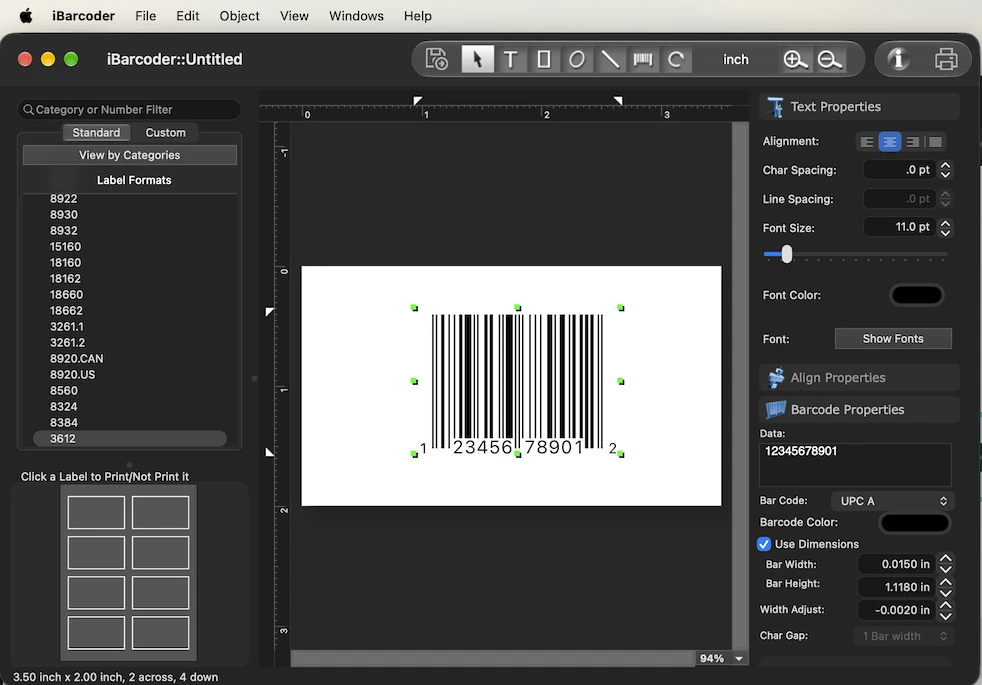
3. Export or Print:
Export your barcode file for integration into your design software, or instant printing labels from iBarcoder.Best Practices for Printing Barcodes
Important: Always maintain adequate "quiet zones" (the blank margins on the left and right sides of the barcode) to ensure scanners can successfully read the code without interference from surrounding graphics or text.- • Color Contrast: Ensure there is sufficient blank space (the "quiet zone") on the left and right sides of the barcode to prevent scanning errors.
- • Scaling: Always use high-contrast printing—typically a black barcode on a white background. Avoid glossy finishes that create glare.
- • Testing: Always print a test sample and verify it with a standard barcode scanner before sending your packaging to mass production.