

Learn more about
Barcode Generator Software
A TIME-TESTED BARCODE MAKER SOFTWARE WITH THE LIFETIME
FREE UPDATES AND SUPPORT.
QR Code with Logo Image
Using iBarcoder as QR Code generator allows easily create QR codes with logo images for branding, tracking, and sharing your information. Adding your company logo to your QR codes is the best way to make your QR code match your brand and be more recognizable.
To add a logo:
1. Create, or select existing QR Code on your label,
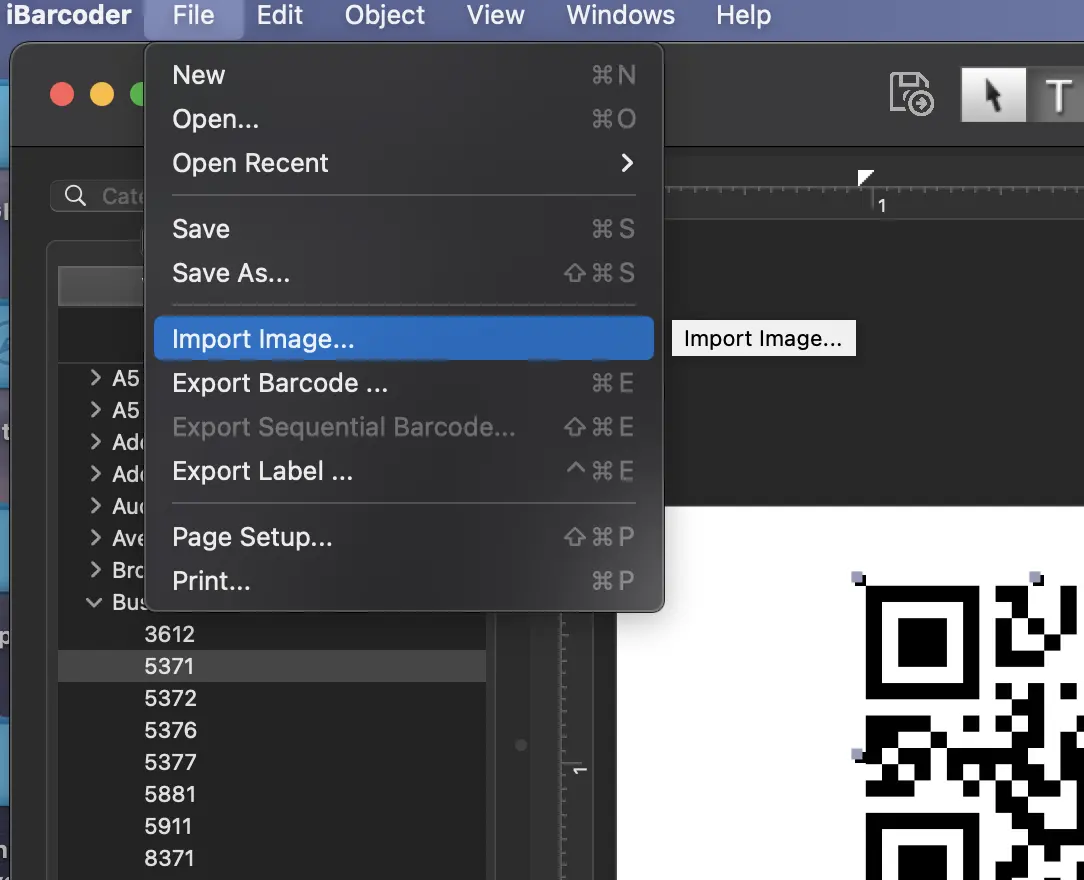
2. Use the File>Import Image menu option to select a logo image,
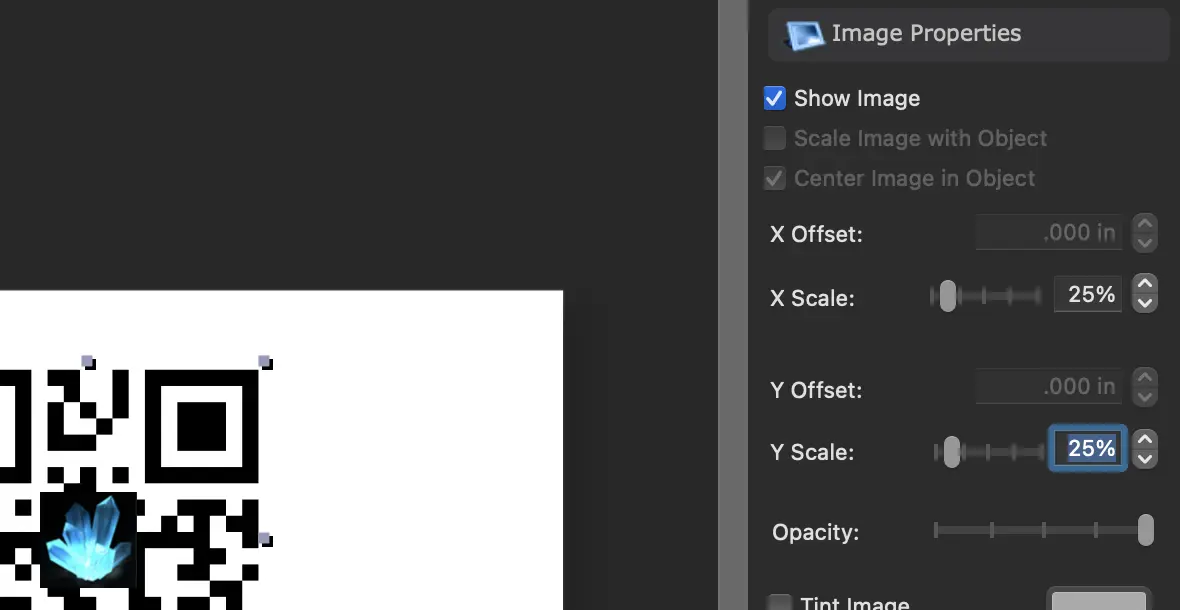
3. If you wish to change to size of the logo, open the Image Properties of the Information panel on the right of the window, and change the ‘X Scale’ and ‘Y Scale’ values,
and,
4. Switch to the Barcode Properties tab of the Information panel, and make the Error Correction Level of the QR Code higher.
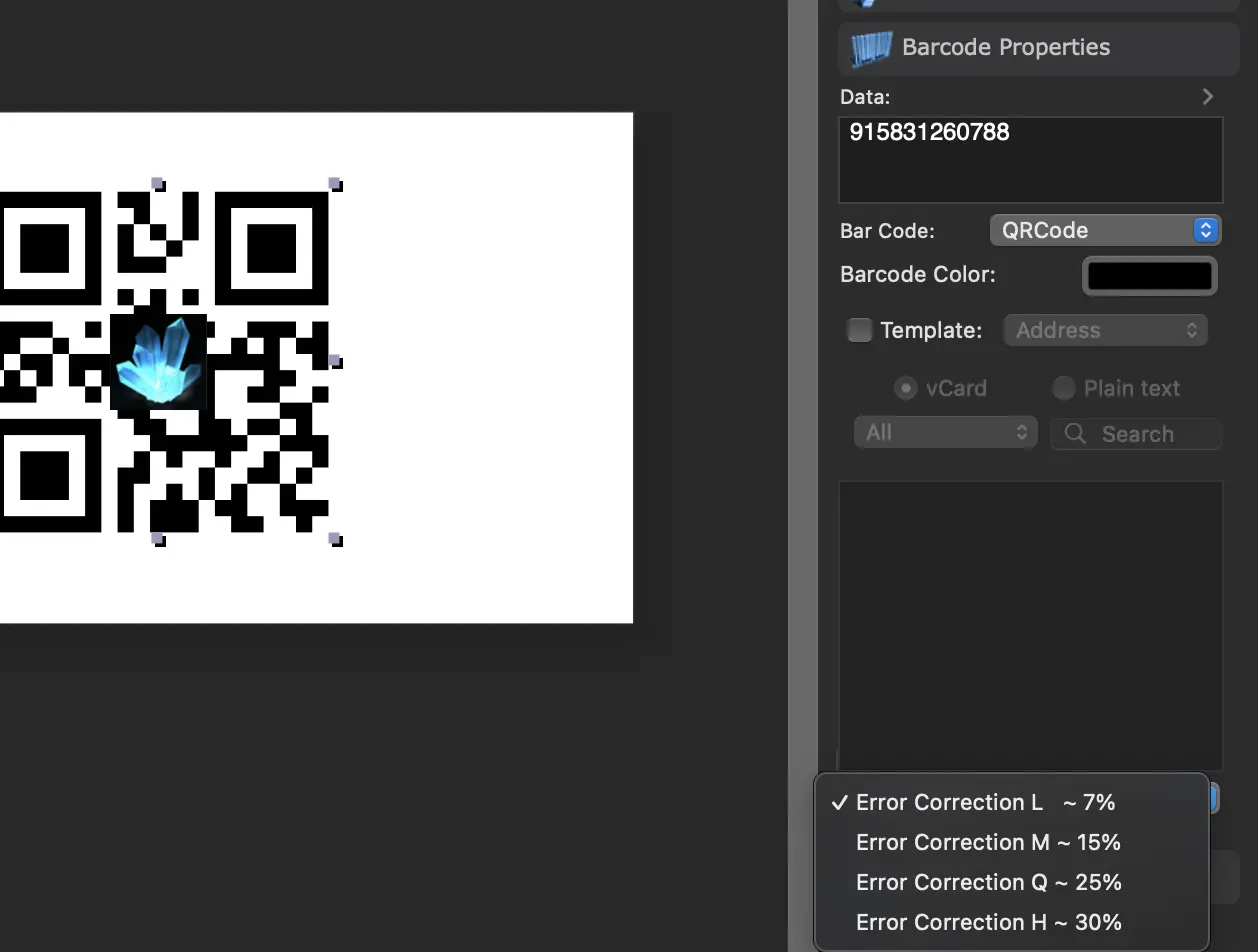
You are ready! Print or Export your mac QR Code with Logo image.
Alternatively, you can use drag and drop to add an image to QR Code: