

Batch-Generate 1,000 QR Codes from an Excel Sheet Using iBarcoder
Need to create a massive batch of unique QR codes for inventory tags, product packaging, event badges, or asset tracking?
Doing it one by one is a massive waste of time.
With iBarcoder for macOS, you can import an Excel spreadsheet (.xlsx) and seamlessly batch-generate hundreds or thousands of unique QR codes in just a few clicks.
Follow this step-by-step guide to turn your spreadsheet data into a full batch of ready-to-print or exportable QR codes.
What You Will Need
- • iBarcoder installed on your Mac. Download iBarcoder from the Mac App Store or the official Cristallight website
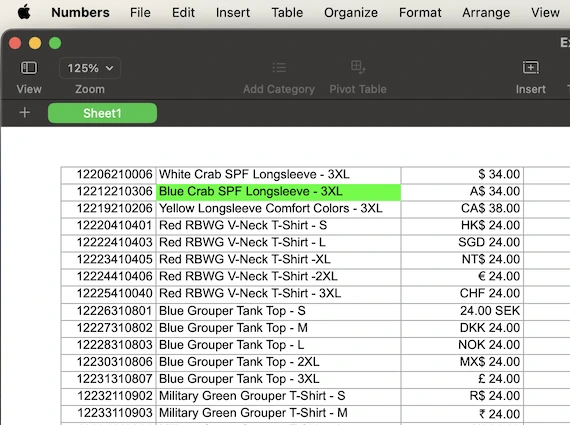
- • An Excel Workbook (.xlsx) containing the data you want to convert into QR codes (e.g., website URLs, product serial numbers, text data, or asset IDs). Organize your data in Microsoft Excel, or Numbers on Mac
Step-by-Step Guide: Bulk Generating QR Codes
Prepare Your Excel Spreadsheet
- 1. Open your data sheet in Microsoft Excel or Apple Numbers.
- 2. Ensure your data is organized neatly in columns, without header row at the top
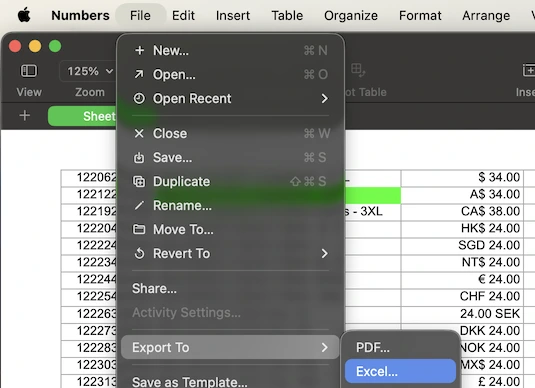
- 3. Export as Excel Workbook File. (Note: iBarcoder reads standard .xlsx workbook files directly).
Set Up Your QR Code Template in iBarcoder
- 1. Open iBarcoder on your Mac.
- 2. From the barcode type selection menu, choose QR Code.
- 3. Design your base template: adjust the size, quiet zones, error correction levels, and styling (such as colors) to fit your branding.
Link Your Excel File via Sequence Properties
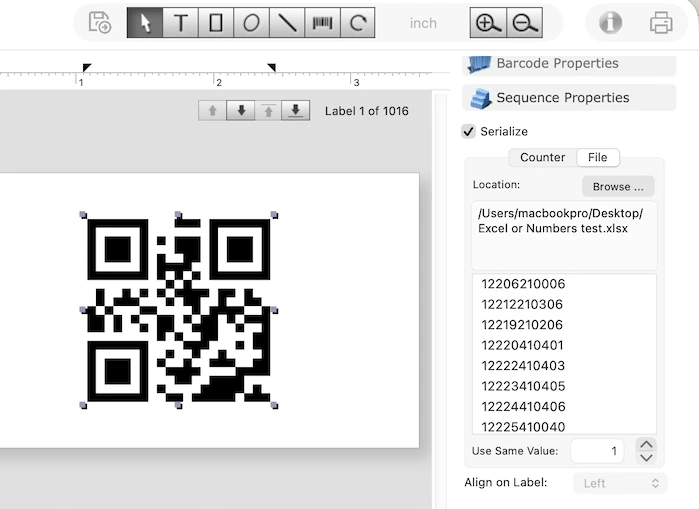
- 1. Navigate to the Sequence Properties tab located on the right-hand panel of the iBarcoder window.
- 2. Check the Serialize box to activate sequential/batch generation mode.
- 3. Switch over to the File tab within that panel.
- 4. Click the Browse… button (or simply drag and drop your Excel .xlsx file directly into the location text area).
- 5. A configuration panel will pop up asking you to select your target Sheet and specific Column containing the data.
- 6. Choose the column you want encoded and click OK. iBarcoder will instantly load and map the data strings from your spreadsheet.
Preview Your Batch
- • The Sequence Properties panel will update to display the complete list of sequential values pulled directly from your Excel rows.
- • You can click through the preview window to verify that your codes populate correctly with the corresponding data.
Print or Export Your 1,000 QR Codes
You have two primary ways to output your newly generated mass batch:- • To Print Directly:
- 1. Go to File > Export Sequential Barcodes…
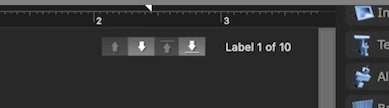
- 2. The total label quantity will automatically sync with the number of data rows in your Excel file.
- 3. Adjust layout settings under the iBarcoder tab of the print panel if you are printing onto specific label sheets (like Avery sheets), then print.
- • To Export as Individual Image Files:
- 1. Go to File > Export Sequential Barcodes…
- 2. Choose your preferred image format (such as PNG, PDF, or EPS).
- 3. Under iBarcoder Settings, you can select "Use barcode data string as exported file name" to keep your files neatly organized, or let iBarcoder name them sequentially using your defined prefix rules.